 Free download · unlocks with MeVerb PRO
Your rooms, in your DAW.
Capture any room with the MeVerb iPhone app, then play it as a reverb, delay or EQ on anything you record.
Download for Mac MeVerb 1.0.1 installer · 37 MB · AU, VST3 and Standalone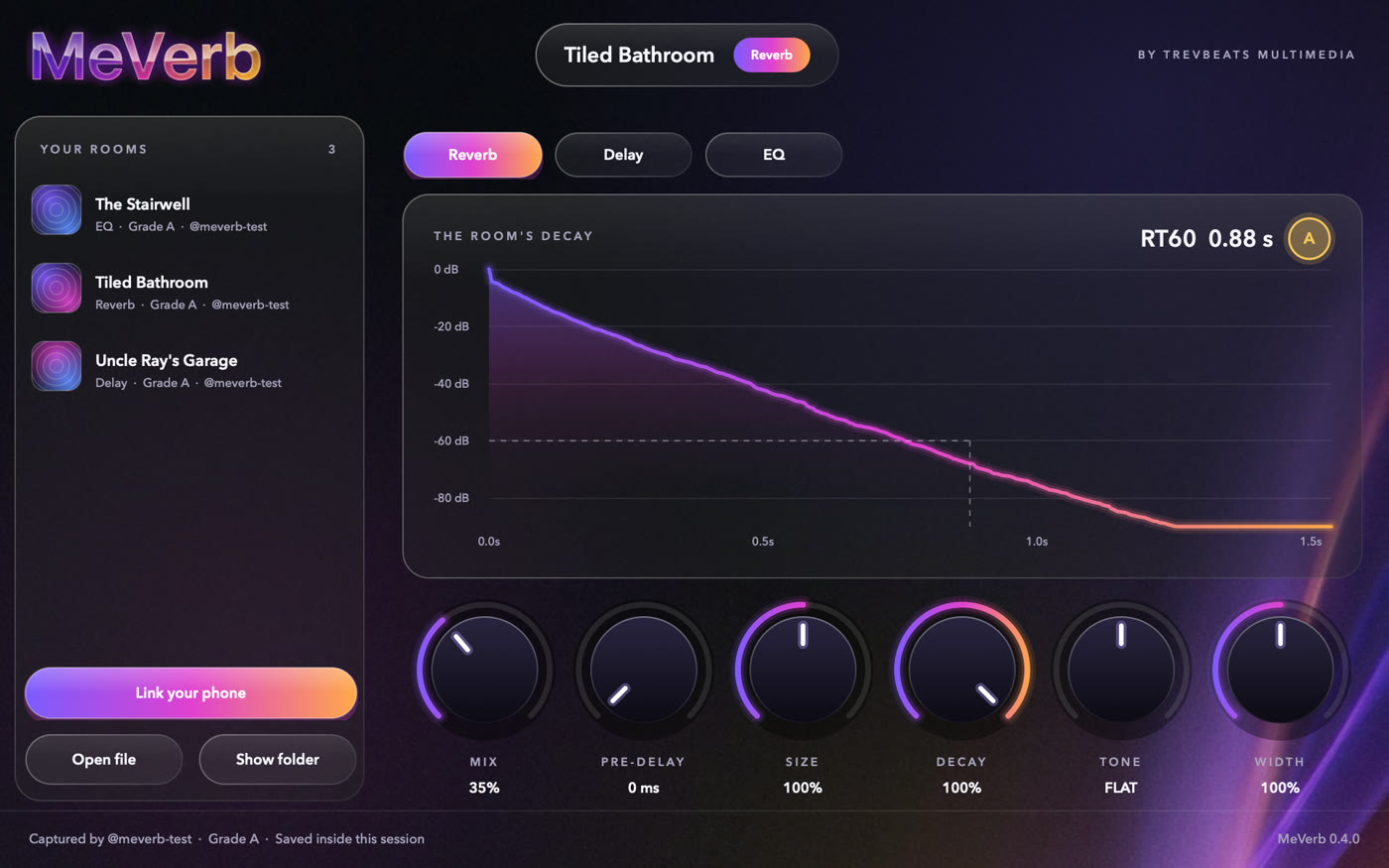
Three steps, about two minutes
Run the installer
Open the file you downloaded and click through. It's signed by TrevBeats Multimedia and checked by Apple.
Open your DAW
Add MeVerb to a track. If it isn't in the list, rescan your plugins.
Audio Unit: Logic Pro, GarageBand, MainStage. VST3: Ableton Live, Studio One, Reaper, Cubase, Bitwig.
Unlock it
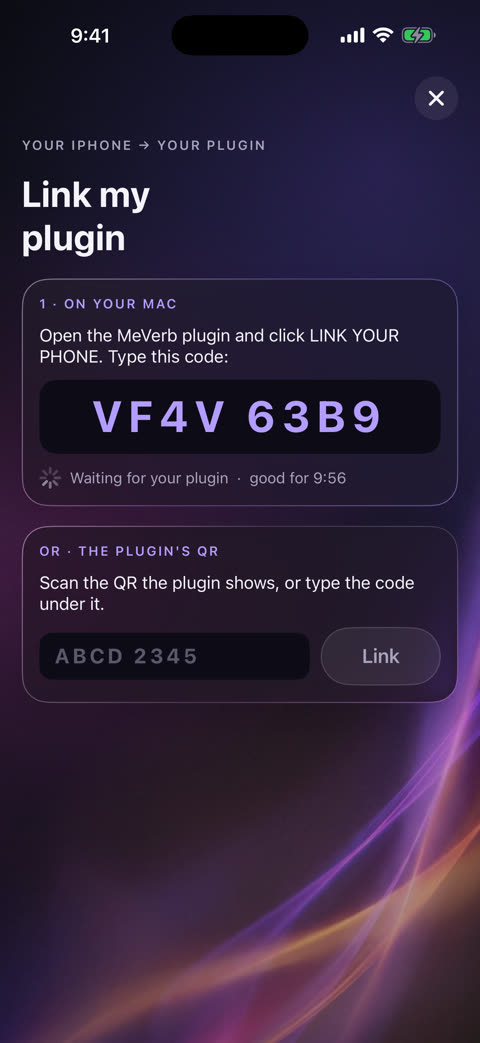
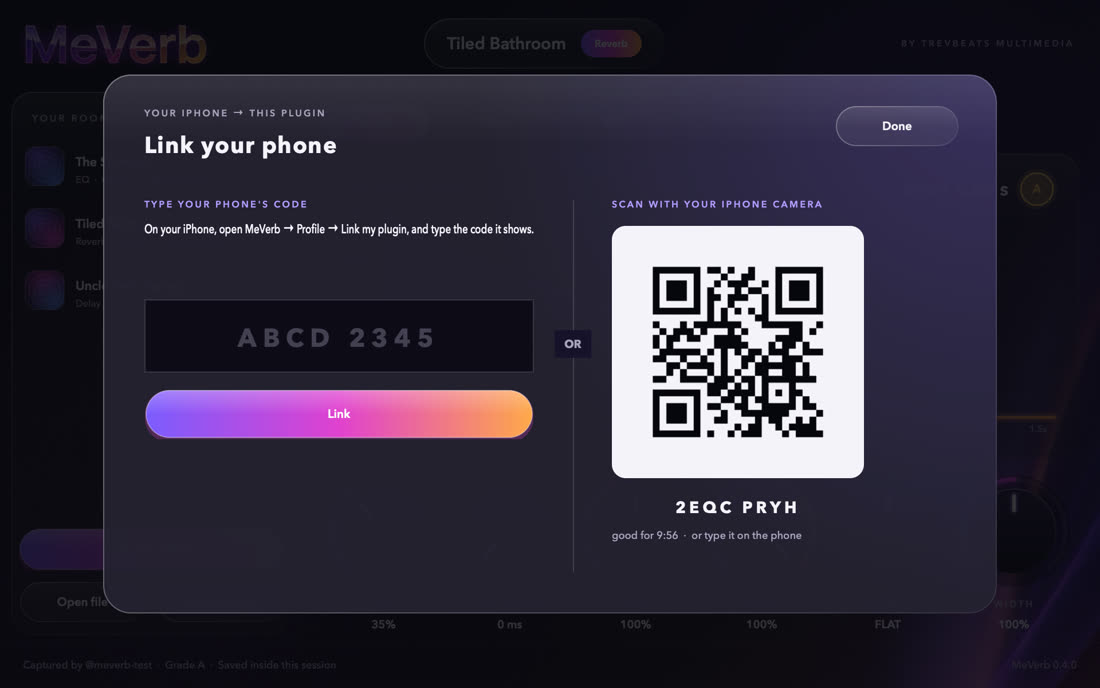
Click Link my iPhone in MeVerb. On your iPhone, with MeVerb PRO, open MeVerb, go to Profile → Your plugin → Link my plugin, and type the code. Have an ALL ACCESS or tester serial? Type it in instead.
Link once. Every room after that shows up on its own.
Free to download. Unlocks with MeVerb PRO.
Unlock it with any one of these
- MeVerb PRO in the iPhone app: link your phone once
- A TREVBEATS ALL ACCESS membership: type your serial
- A MeVerb tester serial
Until it's unlocked, MeVerb passes your audio through untouched. It checks once a day and keeps working offline for up to two weeks.
Then you get
- Reverb, delay and EQ modes
- 20 starter spaces, from a living room to a subway train
- Every room you save on your iPhone, straight to the plugin
- Rooms from the MeVerb community, and any room you AirDrop to your Mac
- Rooms saved inside your sessions, so projects open anywhere
Capture the room with your phone
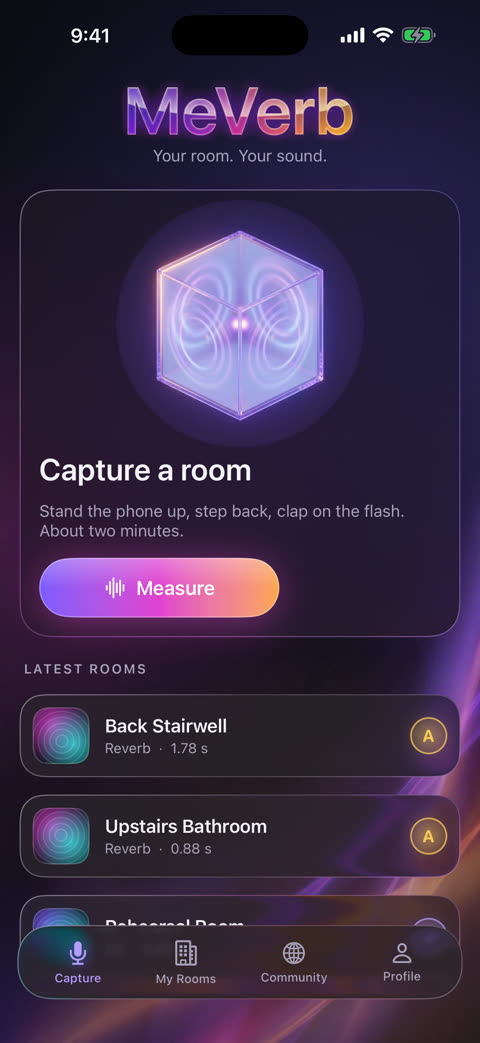
Stand your iPhone up, step back, and clap when the flash blinks. In about two minutes MeVerb measures how the room answers and gives it a grade. Name it, and it's yours.
Coming soon to the App StoreBefore you download
Does it work on my Mac?
Yes, if it runs macOS 11 (Big Sur) or later. One installer covers Apple silicon and Intel Macs.
Where does it install?
The Audio Unit goes in /Library/Audio/Plug-Ins/Components, the VST3 in /Library/Audio/Plug-Ins/VST3, and the standalone MeVerb app in Applications.
My DAW doesn't show MeVerb.
Rescan your plugins (in Ableton Live: Settings → Plug-Ins → Rescan; in Logic Pro: Settings → Plug-in Manager → Reset & Rescan Selection). Then look under TrevBeats Multimedia.
Do I need PRO to use the plugin?
Yes: MeVerb PRO in the iPhone app, a TREVBEATS ALL ACCESS membership, or a MeVerb tester serial. The download is free, and until it's unlocked MeVerb passes your audio through untouched.
Does it need the internet?
Only now and then. MeVerb checks its unlock once a day and keeps working offline for up to two weeks.
Is there a Windows version?
Not yet. MeVerb for Mac is the first.